




Project Overview
PyAMPP is an advanced orchestration utility that automates the lifecycle of a WAMP stack. It eliminates the friction of manual configuration by dynamically generating environment-specific parameters at runtime, ensuring a "it just works" experience for local web development.
Download
The latest stable version of PyAMPP is available as a standalone executable. You can download it directly from our official releases page on GitHub.
Detailed Features
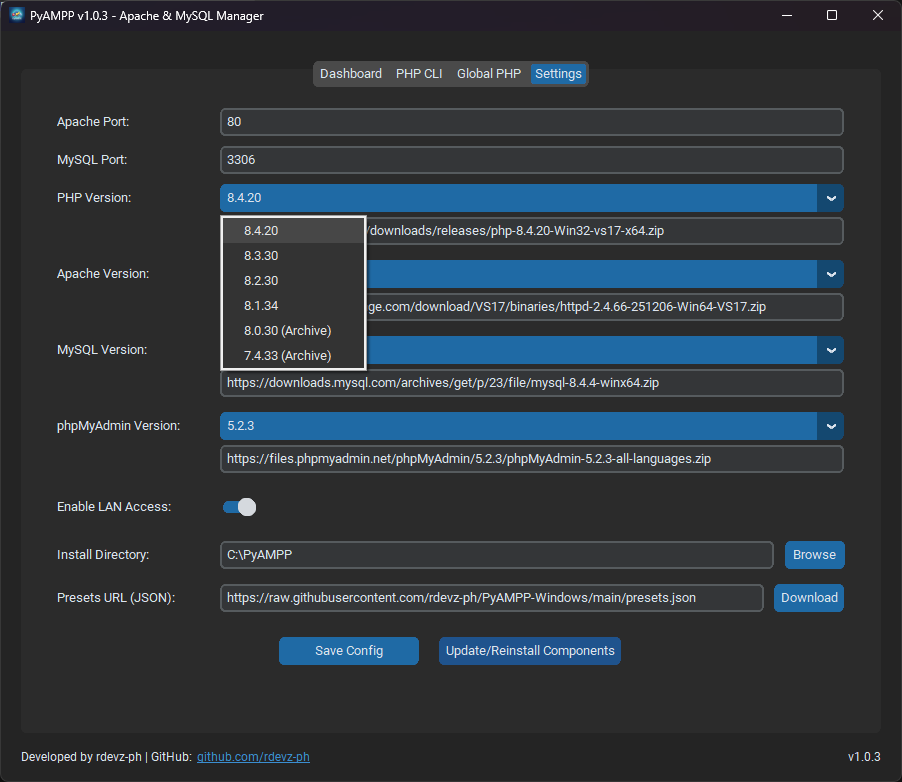
Version Preset Selection
Choose from a curated list of verified component versions. From legacy PHP 7.4 to the latest 8.5, PyAMPP handles the complex configuration automatically.
Hardened Process Isolation
Improved execution logic prevents DLL conflicts (like VCRUNTIME140.dll
mismatches) by running services in a strictly isolated environment.
Smart Reinstallation
Perform clean updates of binaries while strictly preserving your MySQL data directories, preventing "version soup" and ensuring environment stability.
Intelligent Module Mapping
Dynamically detects and maps the correct PHP module (e.g., php7_module vs
php_module) based on the active version selection.
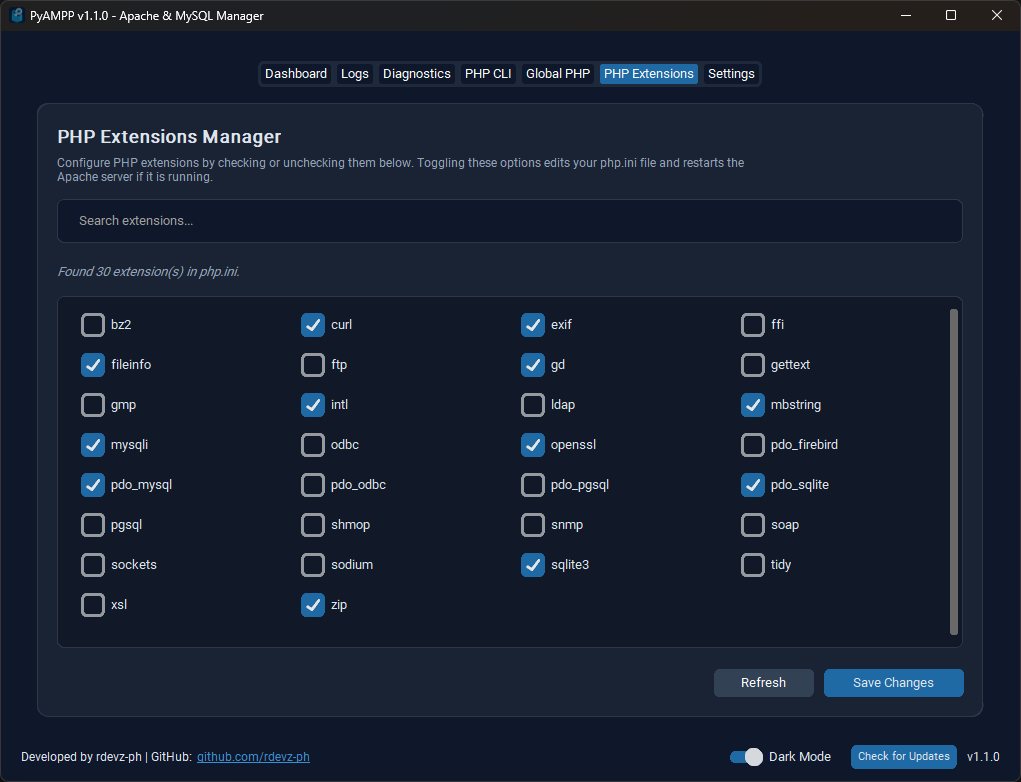
Intelligent PHP Configuration
Auto-generates php.ini with pre-configured extensions (mysqli, mbstring,
openssl, curl, pdo_mysql, zip, gd, fileinfo, intl, exif, etc.) mapped to absolute local
paths.
Global PATH Integration
Integrated PowerShell automation to register the portable PHP binary within the Windows System PATH, enabling CLI usage (composer, artisan, etc.) globally.
LAN Exposure Toggle
Switch between private loopback (localhost) and local network visibility. Automatically detects subnet masks to configure Apache access controls safely.
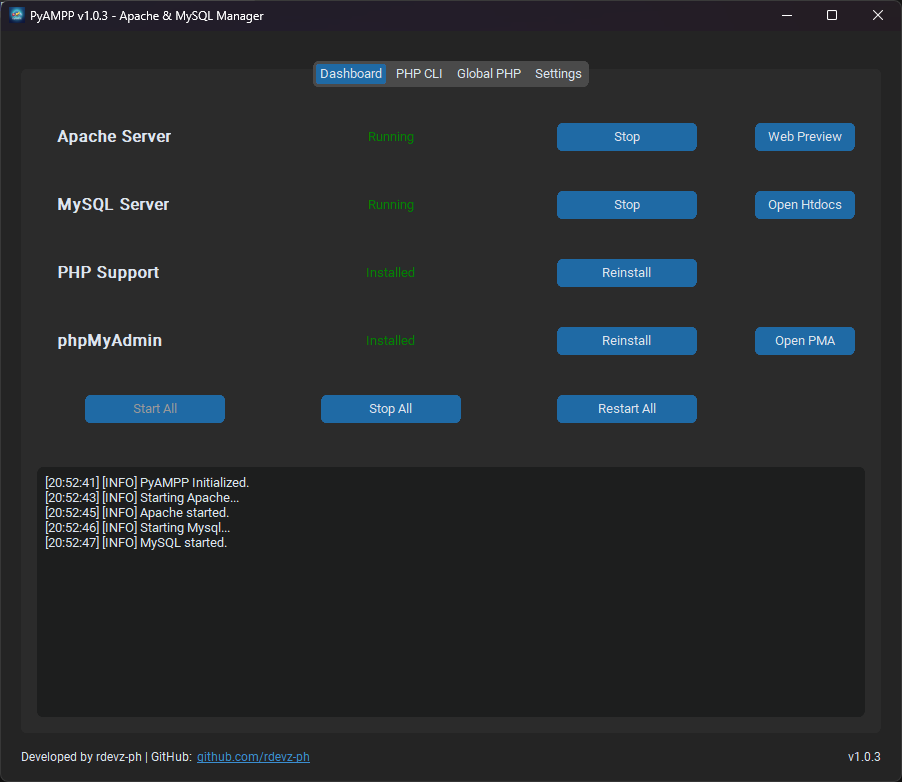
Real-time Log Aggregator
Captures and streams stdout and stderr from underlying service processes into a centralized dashboard for rapid diagnostic troubleshooting.
Supported Versions (Presets)
PyAMPP supports a wide range of verified component versions out of the box. For transparency,
all official binary download URLs are documented in the presets.json file within the
repository.
- PHP: 8.5.6 (VS17), 8.4.21, 8.3.31, 8.2.31, 8.1.34, 8.0.30 (Archive), 7.4.33 (Archive)
- Apache: 2.4.66 (VS17)
- MySQL: 8.4.4 (LTS), 8.0.40, 5.7.44
- phpMyAdmin: 5.2.3, 5.2.2, 5.2.1
Technical Specifications
- Core Logic: Python 3.x utilizing the
subprocessAPI for detached process execution. - GUI Framework: CustomTkinter for a modern, High-DPI aware Windows 10/11 native look.
- Networking: Synchronous socket-based port monitoring and automated subnet detection.
- Architecture: 64-bit optimized (VS17 Runtimes) with hardened isolation logic.
- Process Isolation: Detached process trees to ensure services remain stable independently of the GUI state.
System Architecture
Designed with a strict separation of concerns:
- Core Layer: Encapsulates binary management, configuration templating (Apache
httpd.conf, MySQLmy.ini, PHPphp.ini), and low-level process control. - GUI Layer: Modular interface components (Dashboard, Setup Wizard, Settings, Global PHP Setup, and Log Aggregator).
- Automation Layer: PowerShell scripts for system-level integrations and automated environment pathing.
Frequently Asked Questions
Why use PyAMPP instead of a modern Docker-based setup?
While Docker is extremely powerful, it can feel resource-heavy and consume significant storage, especially when building and maintaining multiple containers. PyAMPP provides a lightweight, portable alternative that is much faster to initialize and easier to manage for standard PHP development without the overhead of virtualization.
Is PyAMPP really portable?
Yes. The application executable is portable; however, dependencies are stored in the chosen installation directory. If you move the application folder, simply update the installation directory settings within the app to ensure everything continues to work seamlessly.
Can I add my own custom PHP or MySQL versions?
Currently, PyAMPP uses verified presets defined in presets.json to ensure
compatibility and automated configuration. Manual additions are possible by modifying the
presets file, though official support is limited to the versions listed.
Does it require Administrator privileges?
Admin privileges are generally not required for basic operation, though they may be needed for specific automation tasks like registering PHP to the System PATH or toggling certain network firewall rules.
License
PyAMPP is open-source software licensed under the MIT License.
Disclaimer
PyAMPP is intended exclusively for local development and testing environments. The default configurations prioritize development speed and local accessibility over production-grade security hardening. It should not be utilized for hosting public-facing services or sensitive production data.