





Project Overview
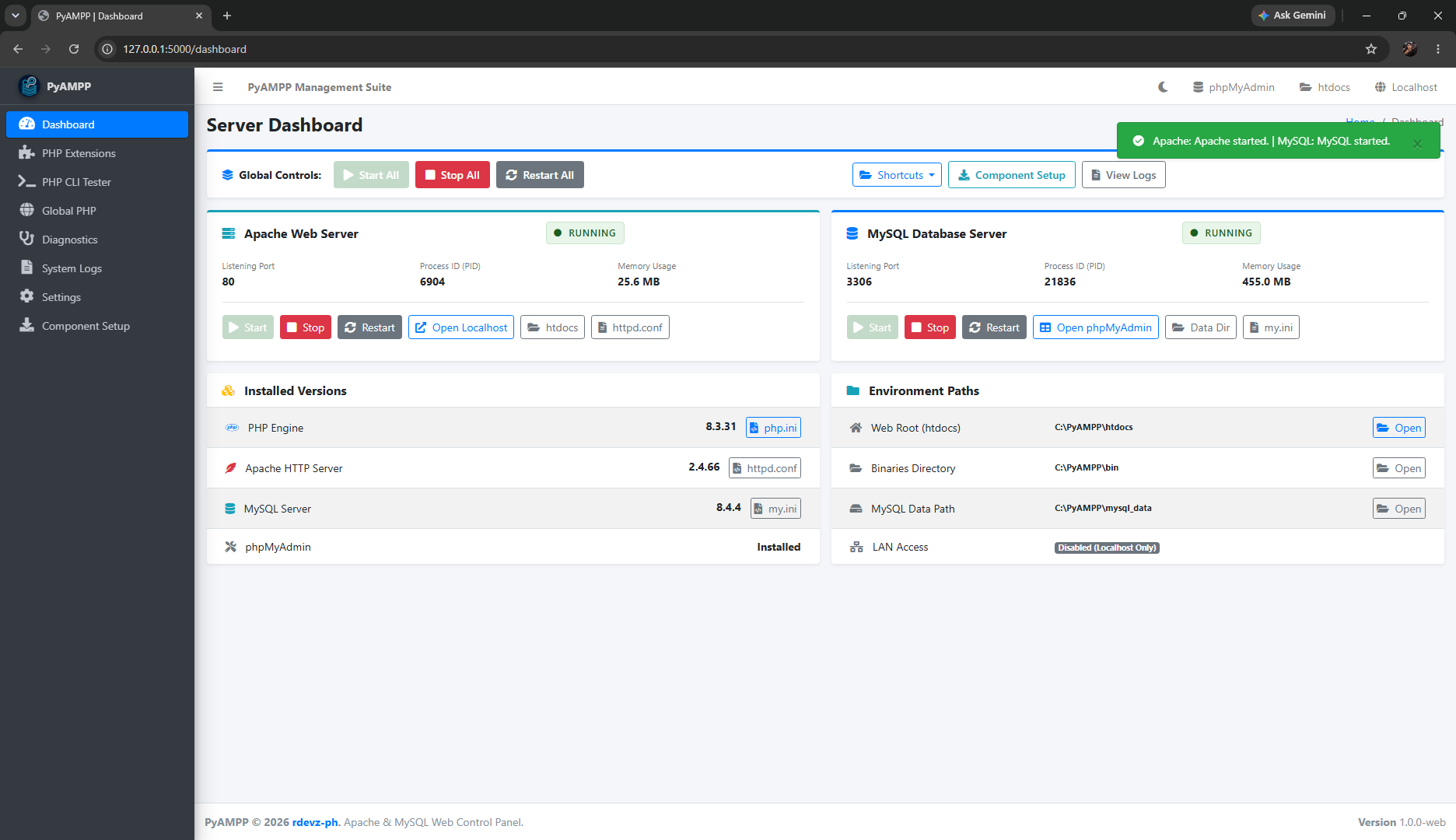
PyAMPP is a portable web server stack manager for Windows. It provides a browser-based management dashboard running locally at http://127.0.0.1:5000 and a lightweight system tray controller to install, start, stop, and manage Apache, MySQL, PHP, and phpMyAdmin without manual configuration editing.
All downloaded components, configuration files, and database records remain inside your designated installation directory, keeping your development environment clean and portable.
Download
Download the latest version of PyAMPP from GitHub as a standalone executable file.
Features
Web Management Dashboard
Access live process metrics, CPU usage, memory consumption, and port listening status from your browser.
Independent Services
Apache and MySQL run as standalone background processes and continue running even when the browser tab is closed.
Component Setup Wizard
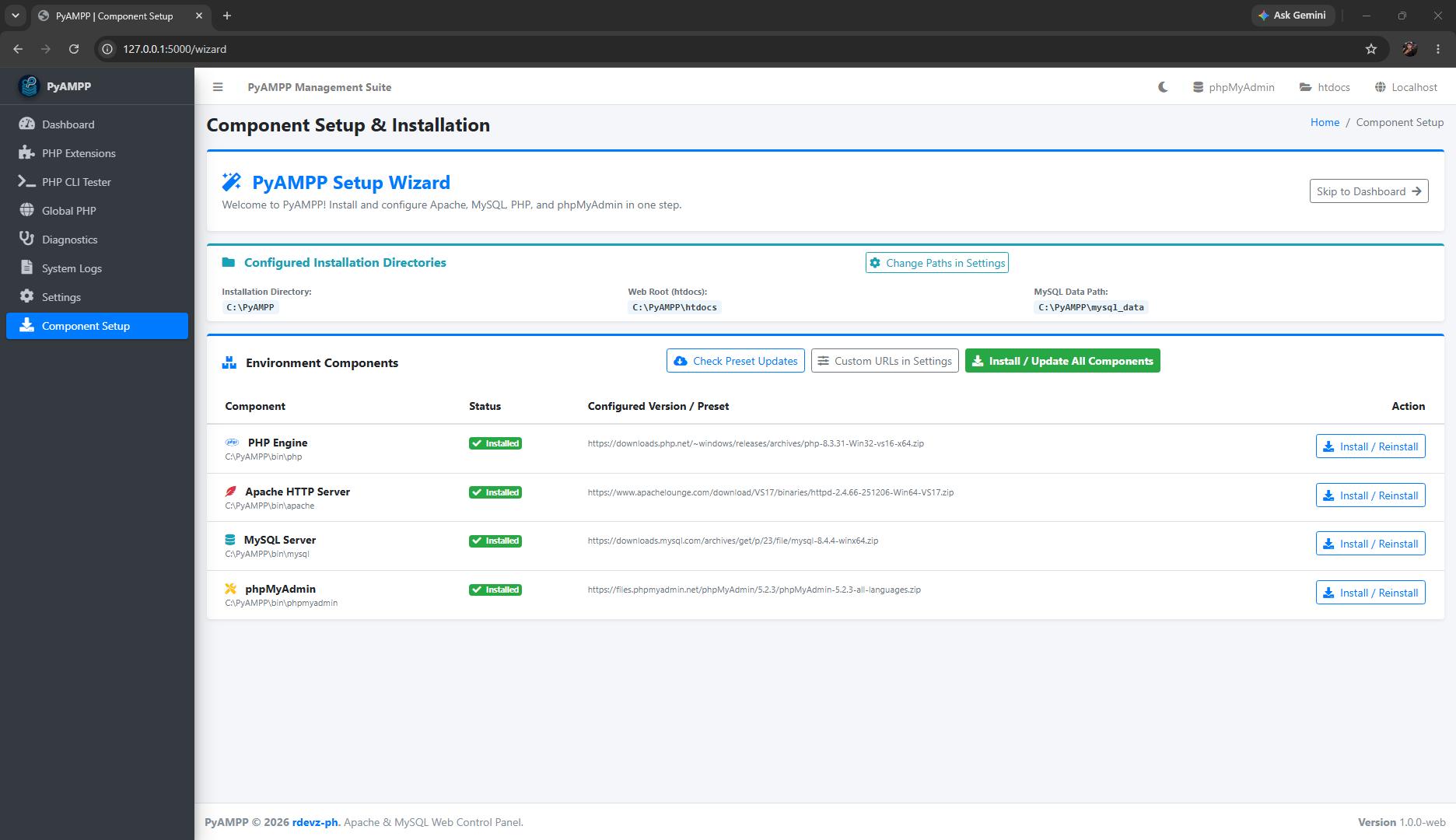
Select and install tested versions of Apache, MySQL, PHP, and phpMyAdmin with automated download and directory verification.
Custom Paths & Web Root
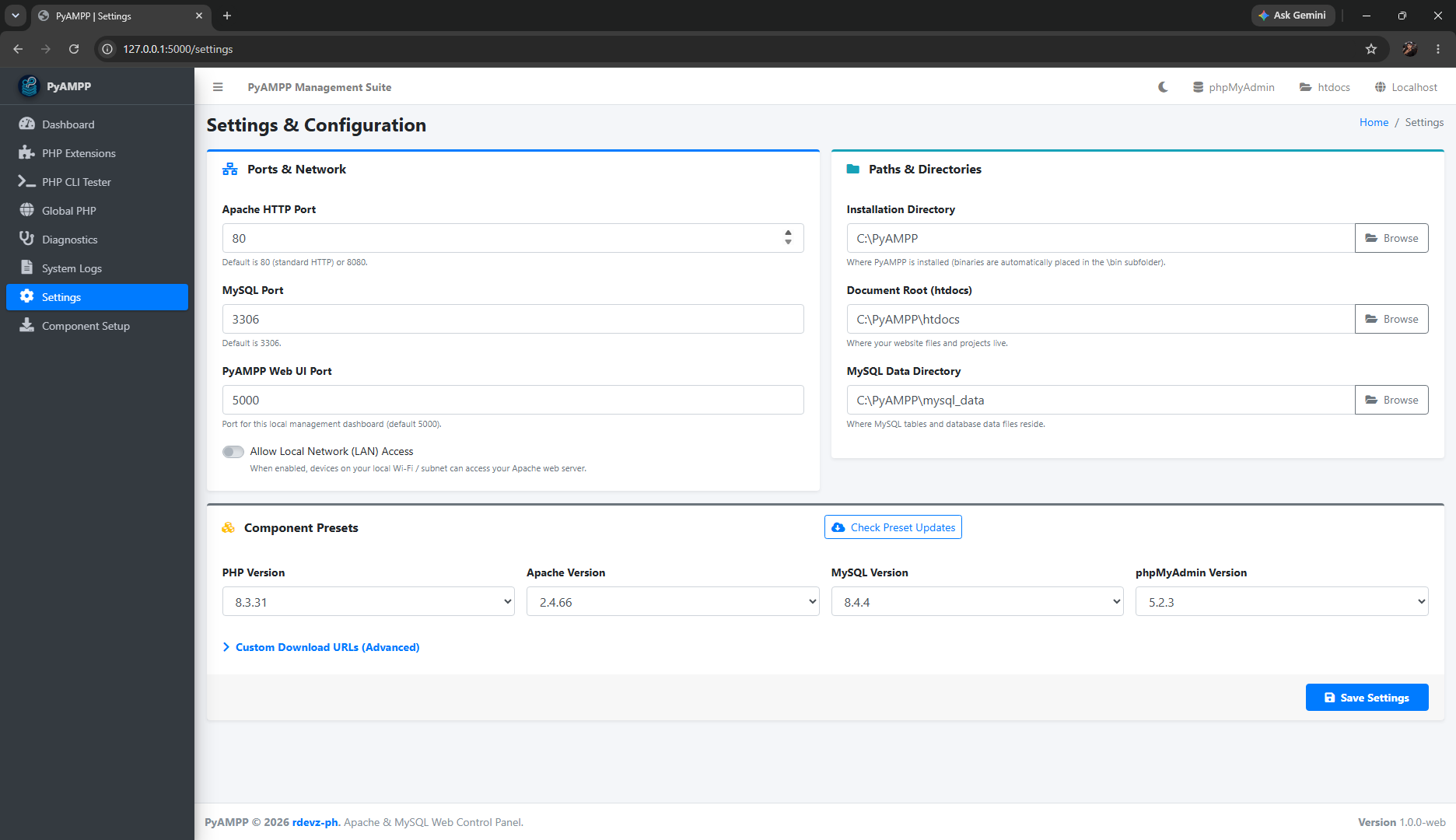
Set a custom installation directory, choose your own document root (htdocs), and manage separate MySQL data storage.
PHP Extensions Manager
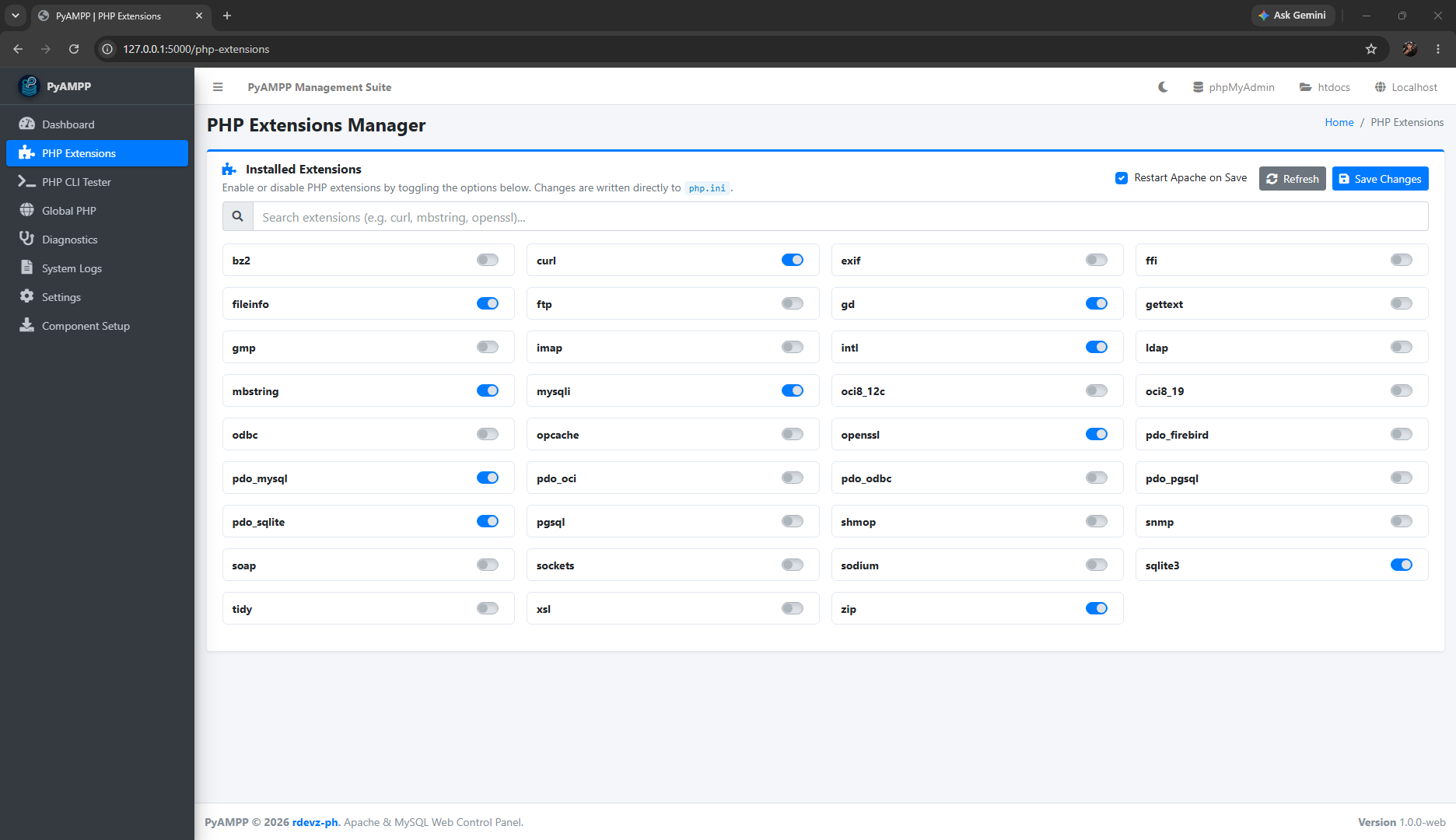
Search and toggle extensions in php.ini with one click, including automatic Apache restart after saving changes.
PHP CLI Tester
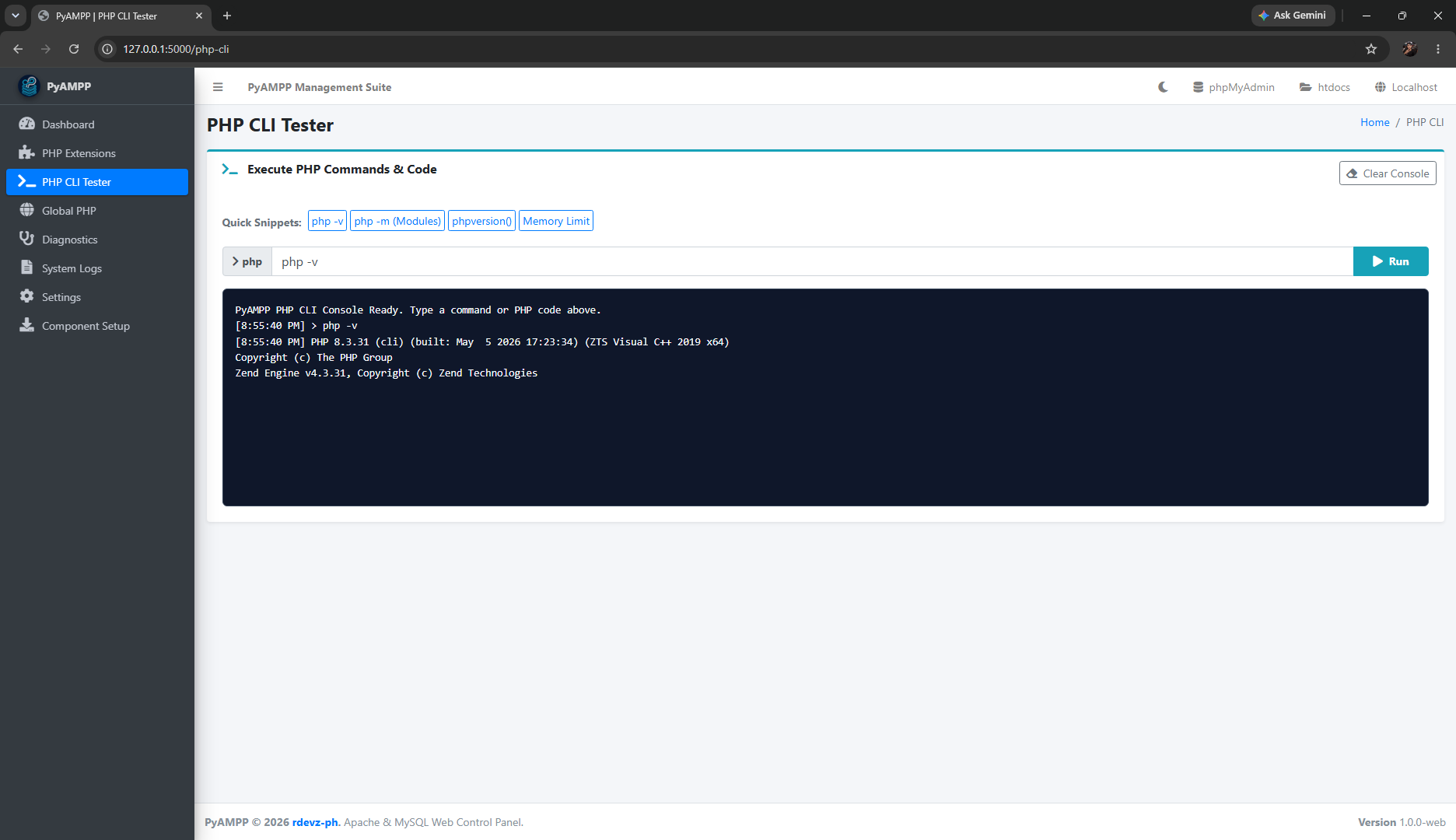
Run PHP commands, check configuration values, and test PHP code snippets directly in your browser.
Global PHP System PATH
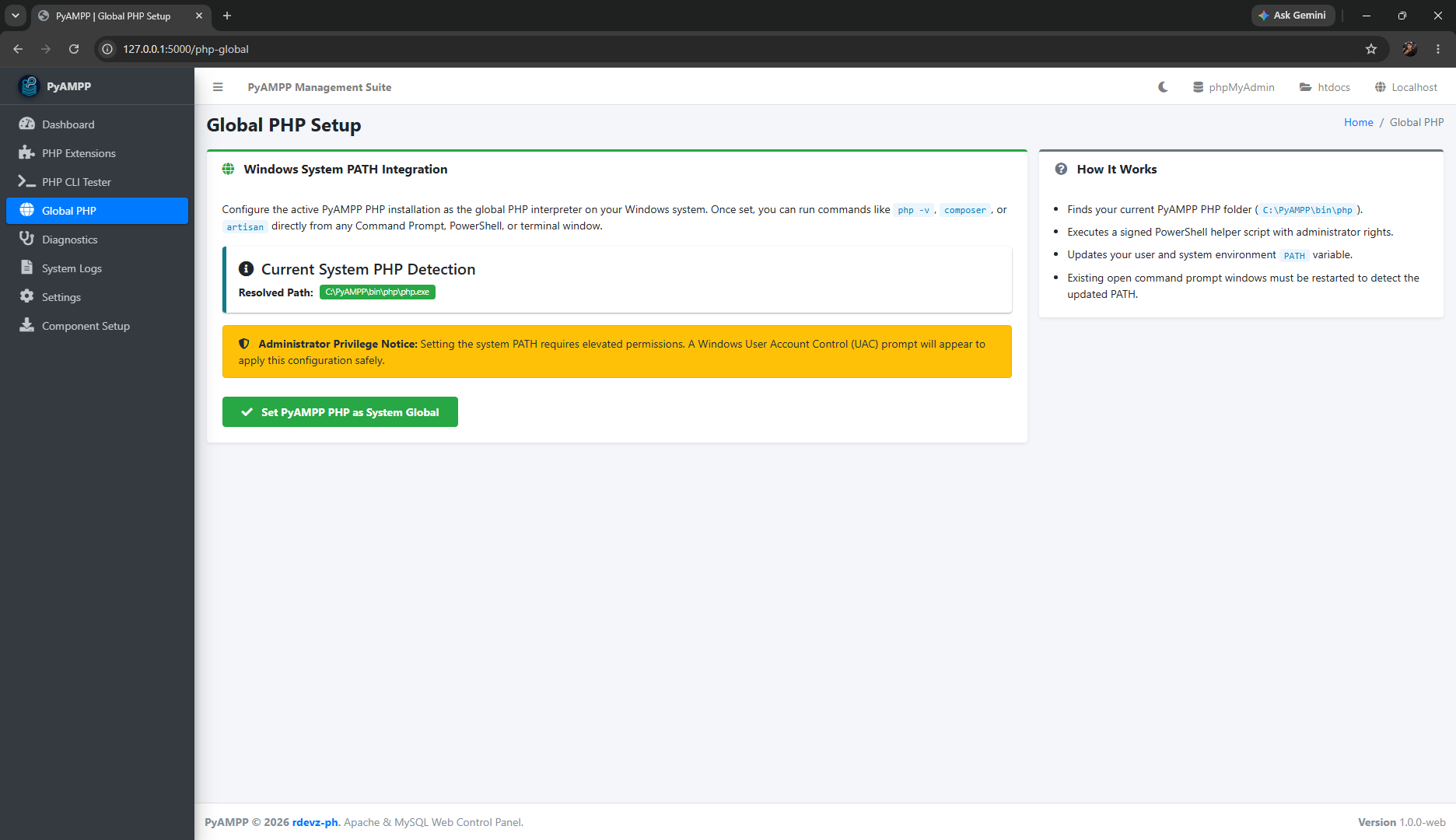
Add or remove portable PHP from your Windows system PATH to use Composer and command-line tools without manual setup.
Diagnostics & SSL Verification
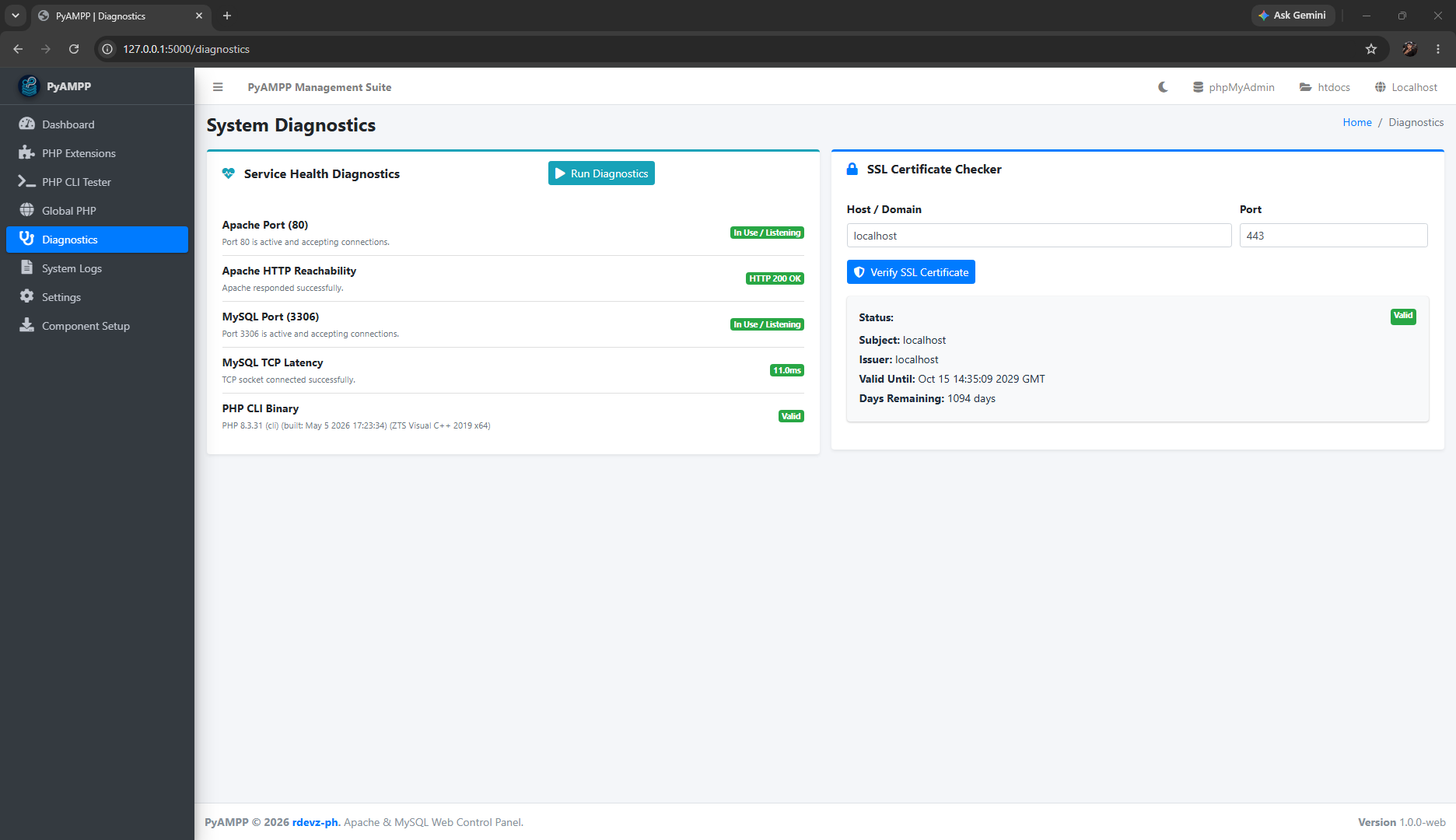
Scan local ports, test socket connection latency, inspect SSL certificates, and generate self-signed HTTPS certificates.
Real-Time System Logs
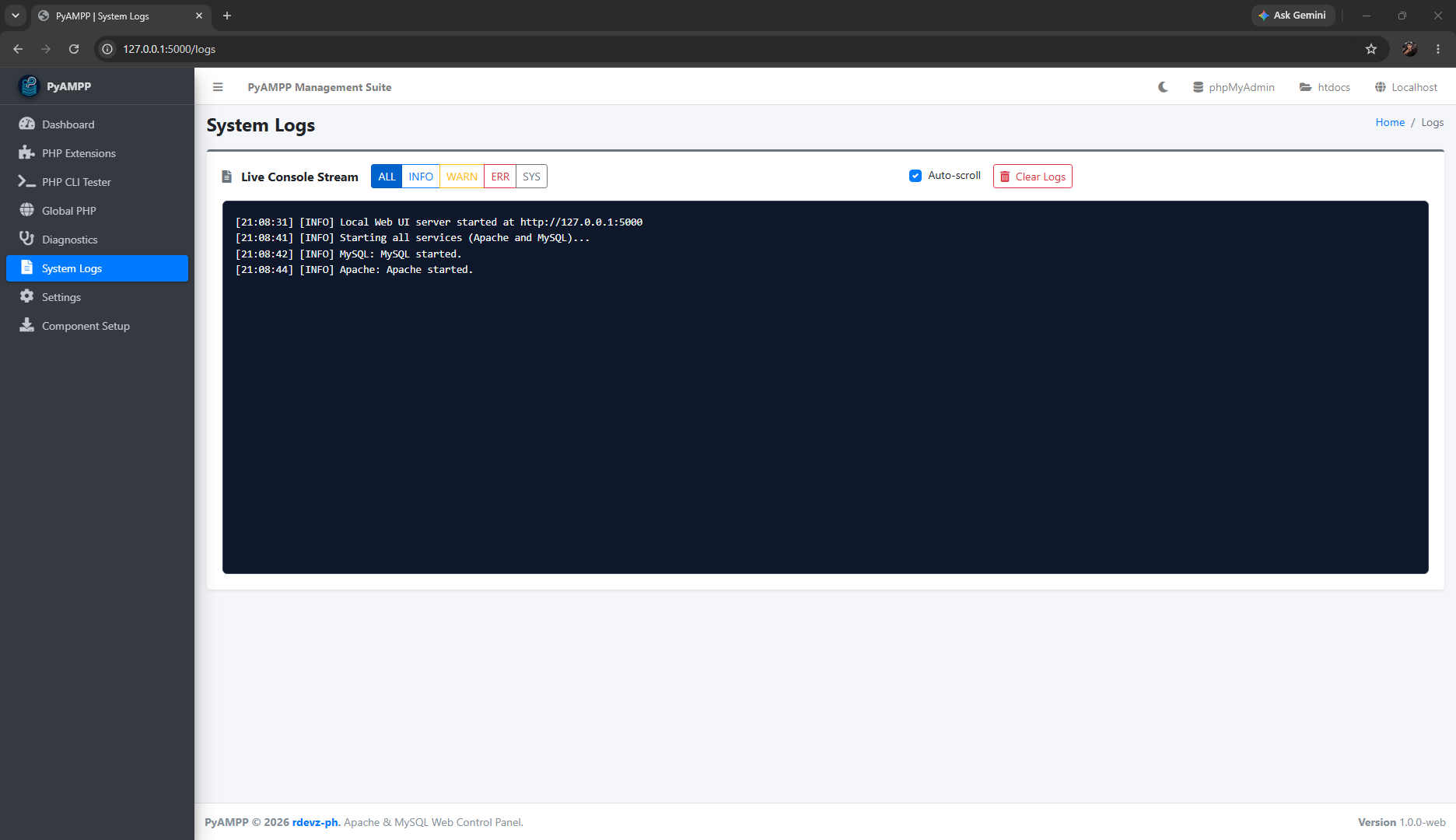
Monitor consolidated logs for PyAMPP, Apache, and MySQL with log level filtering, auto-scroll, and log clearing.
System Tray Companion
Control server operations, open the dashboard, or stop all background processes cleanly from the Windows notification area.
Supported Versions (Presets)
PyAMPP includes tested download presets for the following components (defined in presets.json):
- PHP: 8.5.6, 8.4.21, 8.3.31, 8.2.31, 8.1.34, 8.0.30, and 7.4.33
- Apache: 2.4.66
- MySQL: 8.4.4, 8.0.40, and 5.7.44
- phpMyAdmin: 5.2.3, 5.2.2, and 5.2.1
Requirements
- Operating System: Windows 10 or Windows 11 (64-bit).
- Runtime: Standalone executable requires no external dependencies. Python 3.10+ is required when running from source.
- Visual C++ Runtimes: Uses standard 64-bit Windows runtimes.
System Architecture
PyAMPP is designed with three core components:
- Core Management Engine: Handles downloading, file extraction, automated configuration templates, and server process lifecycles.
- Web Management Dashboard: An embedded local web server providing a responsive management interface at
http://127.0.0.1:5000. - System Tray Controller: A lightweight background application that resides in the notification area for quick access and graceful shutdowns.
Frequently Asked Questions
Why is it called PyAMPP?
The name PyAMPP represents the combination of Python with the traditional WAMP (Windows, Apache, MySQL, PHP) web development stack:
- Py (Python): Orchestration engine, service process supervisor, and local web controller.
- A (Apache): High-performance HTTP and HTTPS web server delivering your local websites.
- M (MySQL): Relational database management system for persistent data storage.
- P (PHP): Fast server-side scripting language runtime for dynamic web applications.
- P (phpMyAdmin): Web-based database management interface for running SQL queries and tables.
Traditional WAMP stacks often require heavy Windows service installations, complex registry dependencies, and manual configuration file editing. PyAMPP replaces fragile system-level bindings with a Python management layer. It handles process life-cycles natively, automates configuration wiring on the fly, and allows your entire web stack to remain truly portable.
Why use PyAMPP instead of Docker?
Docker is powerful, but it requires significant disk space and virtualization overhead. PyAMPP runs natively on Windows without virtualization, making it lighter and faster to start for everyday PHP development.
Is PyAMPP portable?
Yes. The application runs as a standalone file, and all downloaded programs remain in your selected installation directory. If you move the directory, you can update the path in the Settings tab.
Can I use custom download links for components?
Yes. PyAMPP allows you to enter custom download links in the Settings tab under Component Download URLs.
Do I need Administrator rights?
No. Normal everyday development and service management do not require administrator rights. Administrator rights are only requested when adding or removing PHP from the Windows system PATH.
Credits & Upstream Sources
PyAMPP is built upon official binaries and open-source projects provided by their respective maintainers and communities:
Apache HTTP Server
Windows binaries compiled by Apache Lounge with Visual C++ runtimes.
Source: apachelounge.com
MySQL Community Server
Official standalone Windows x64 community server distributions.
Source: dev.mysql.com
AdminLTE 3
Open-source responsive control panel and dashboard template.
Source: adminlte.io | GitHub
Supporting Libraries
Interface icon set, CSS framework, and client interaction components.
License
PyAMPP is licensed under the MIT License.
Disclaimer
PyAMPP is designed for local development and testing only. Do not use it to host public websites on the internet.