FPS Meter Icon
FPS Meter Android
dashboard Overview photo_library Screenshots new_releases What's New featured_play_list Features info Specifications
FPS Meter App Icon

FPS Meter

v2.8 (Latest)
by rdevz-ph • Tools & Utilities

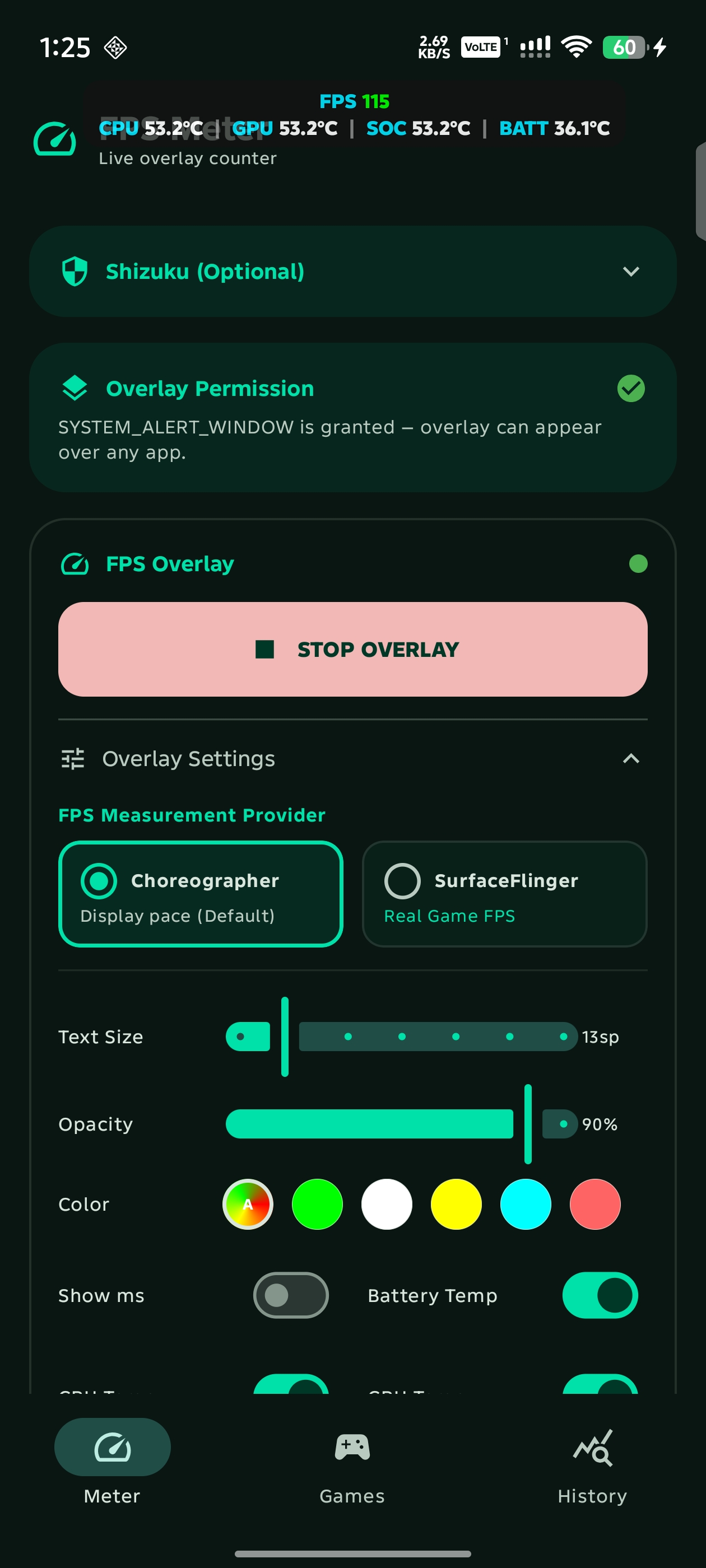
A high-performance, lightweight frame rate & thermal overlay inspired by Samsung Perf Z. Monitor true game FPS, Vulkan/OpenGL ES graphics APIs, battery level & thermals, CPU/GPU temperatures, live RAM telemetry, and record per-game performance benchmarks in real-time.


verified_user block bolt smartphone download
download Download APK Source Code share Share
info Note
Fun fact: this is the first FPS meter app ever published on F-Droid.
verified Direct APK release • Also available on GitHub Releases, F-Droid, Telegram (@fpsmeterandroid), and ShizuStore
download --
Downloads
v2.8
Version
Android 8+
Requires
MIT
License
No Root
Shizuku Ready
Visual Preview

Screenshots & In-Game Preview

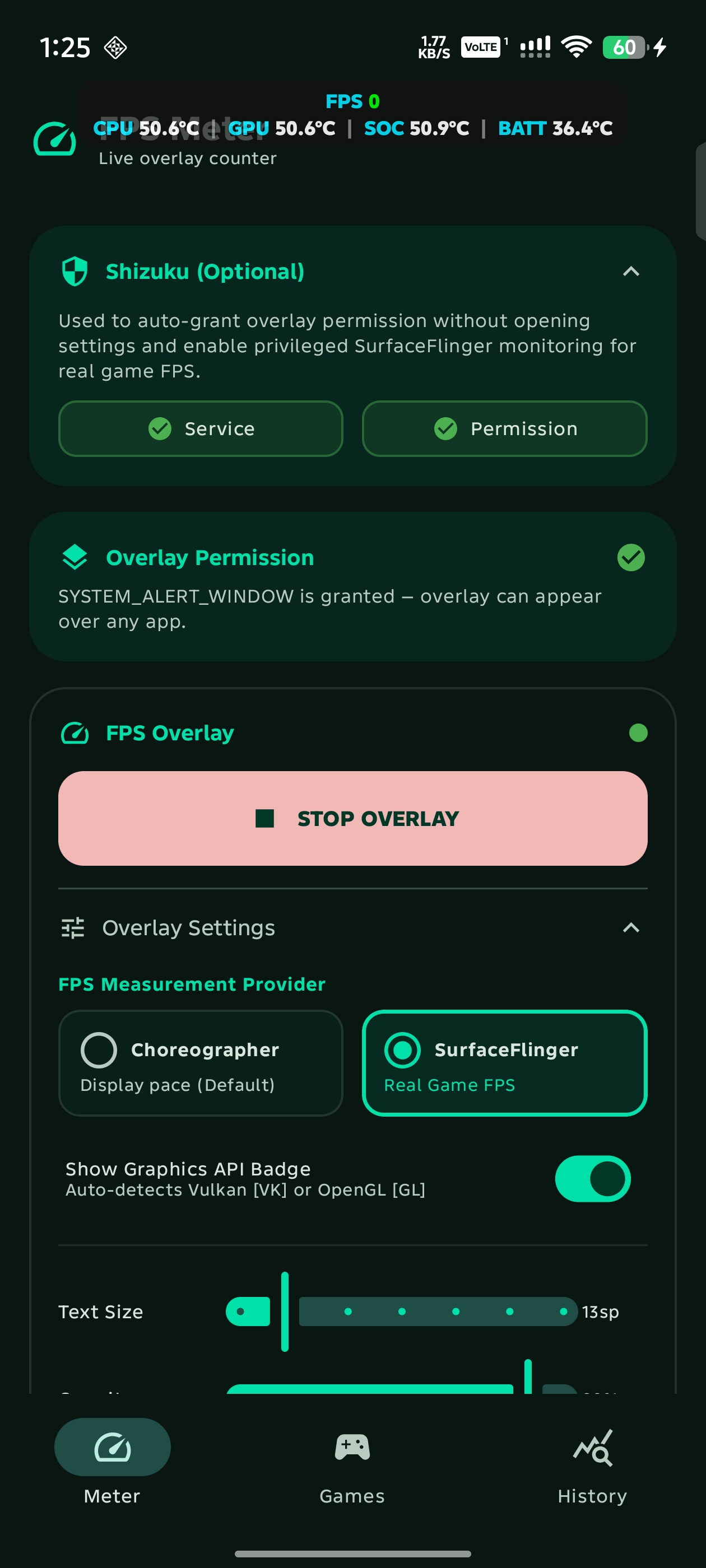
FPS Meter Main Settings
Meter & Telemetry open_in_full
SurfaceFlinger & Shizuku Settings
SurfaceFlinger & Shizuku open_in_full
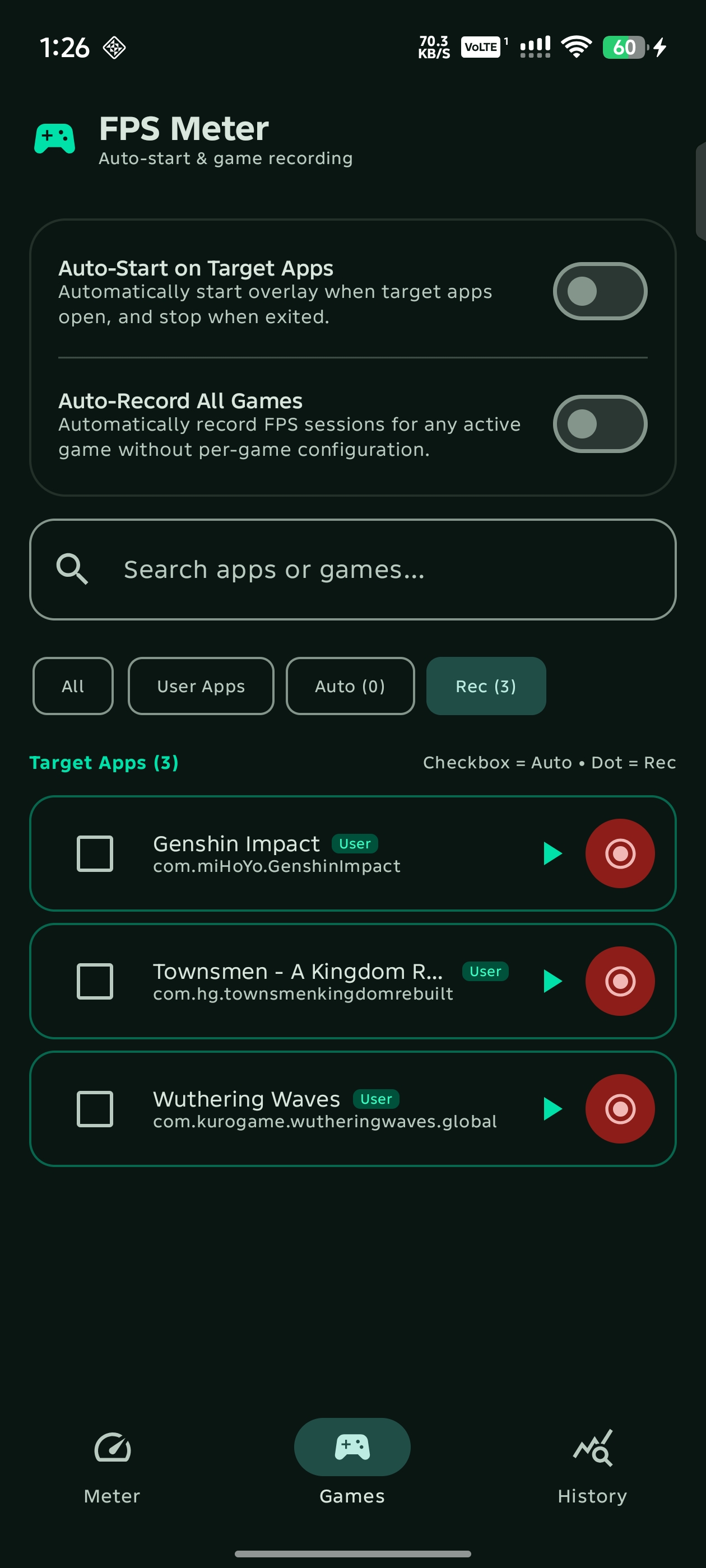
Games Management & Auto-Recording
Games & Auto-Recording open_in_full
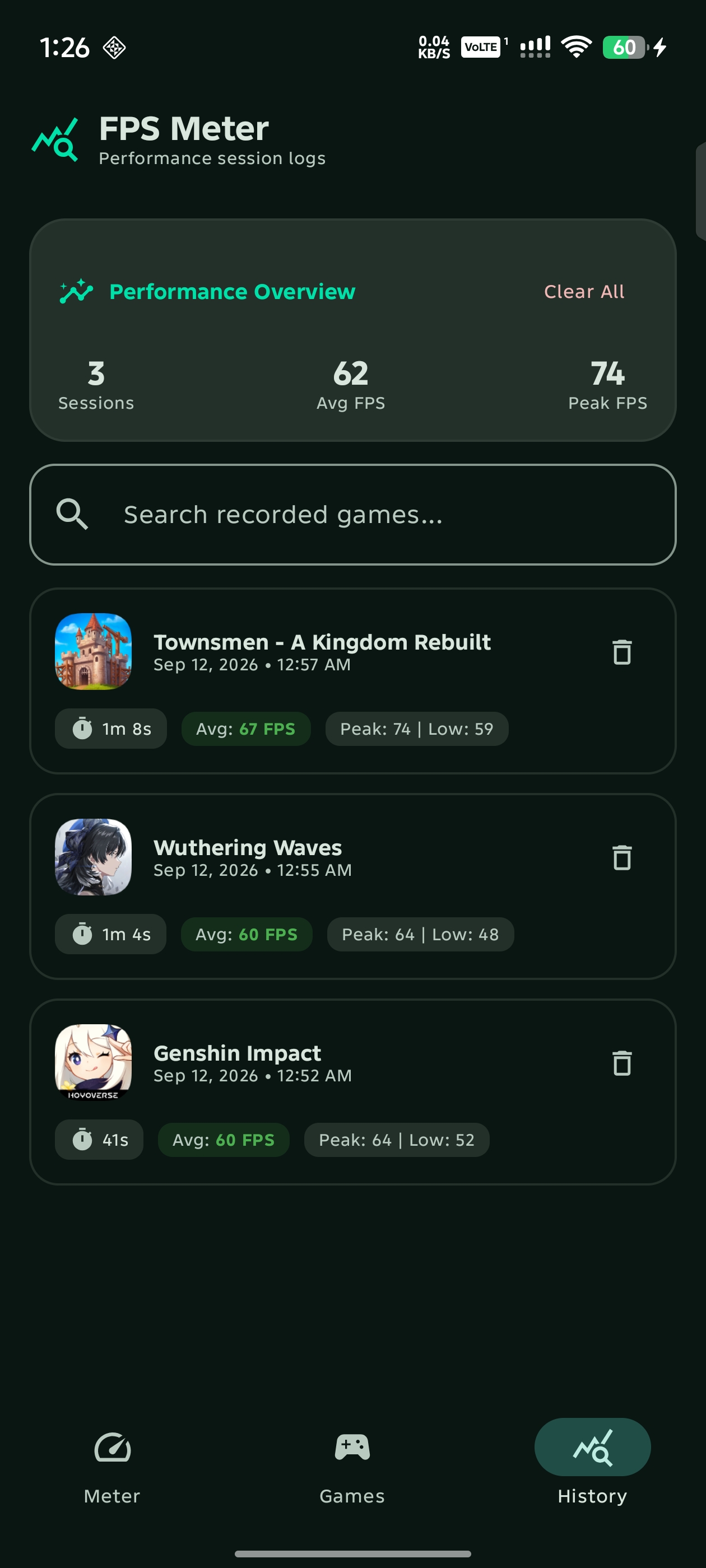
Performance Session History Logs
Performance History Logs open_in_full
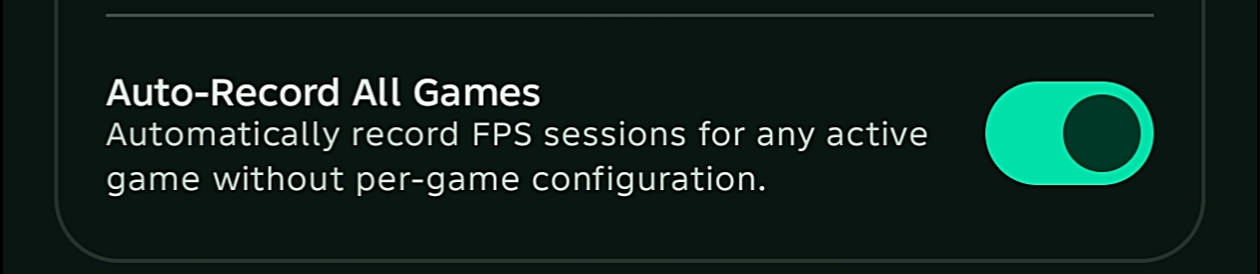
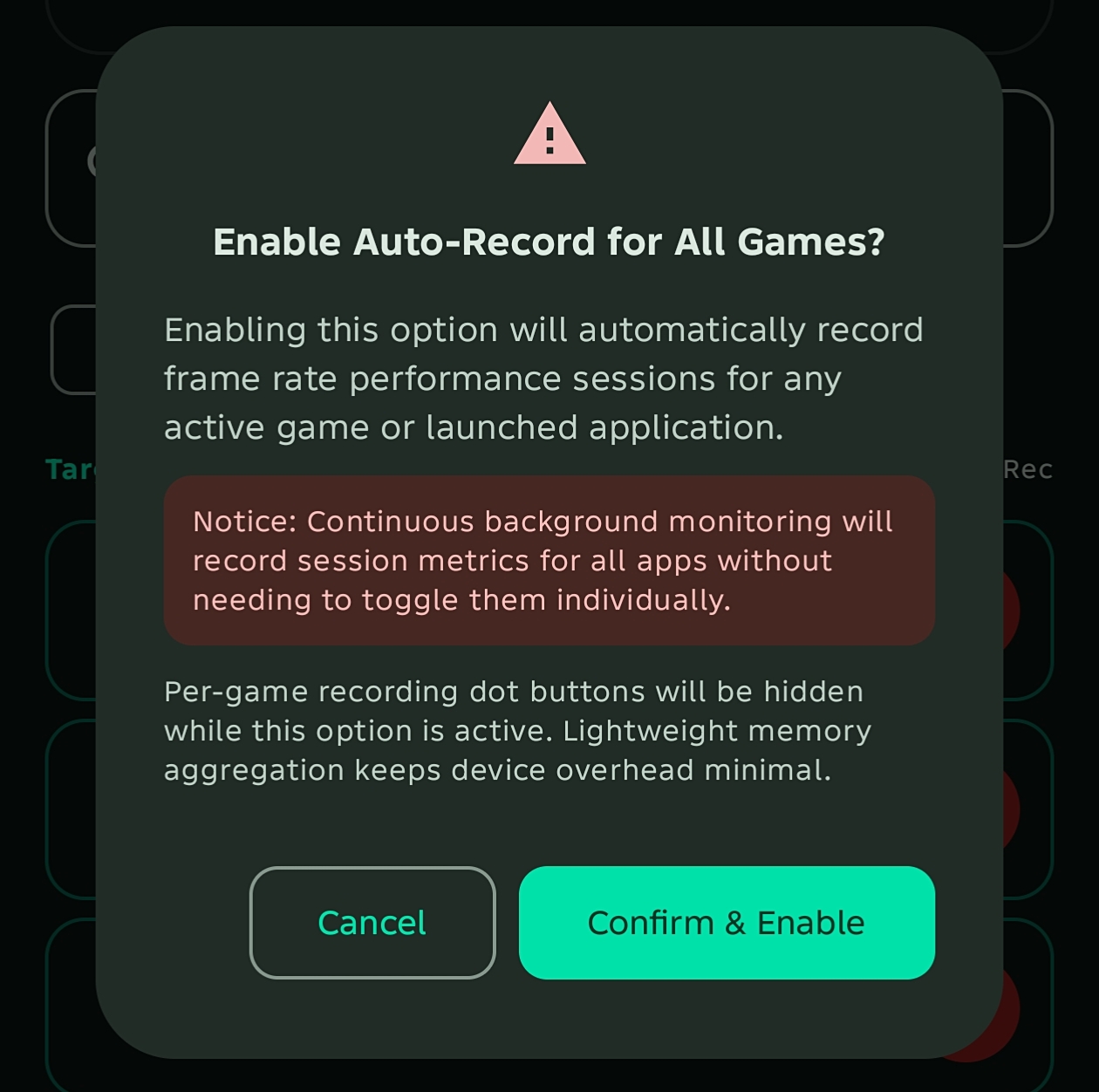
Auto-Record All Games Option
Auto-Record All Games open_in_full
FPS Recording Confirmation Dialog
Confirmation Notice open_in_full
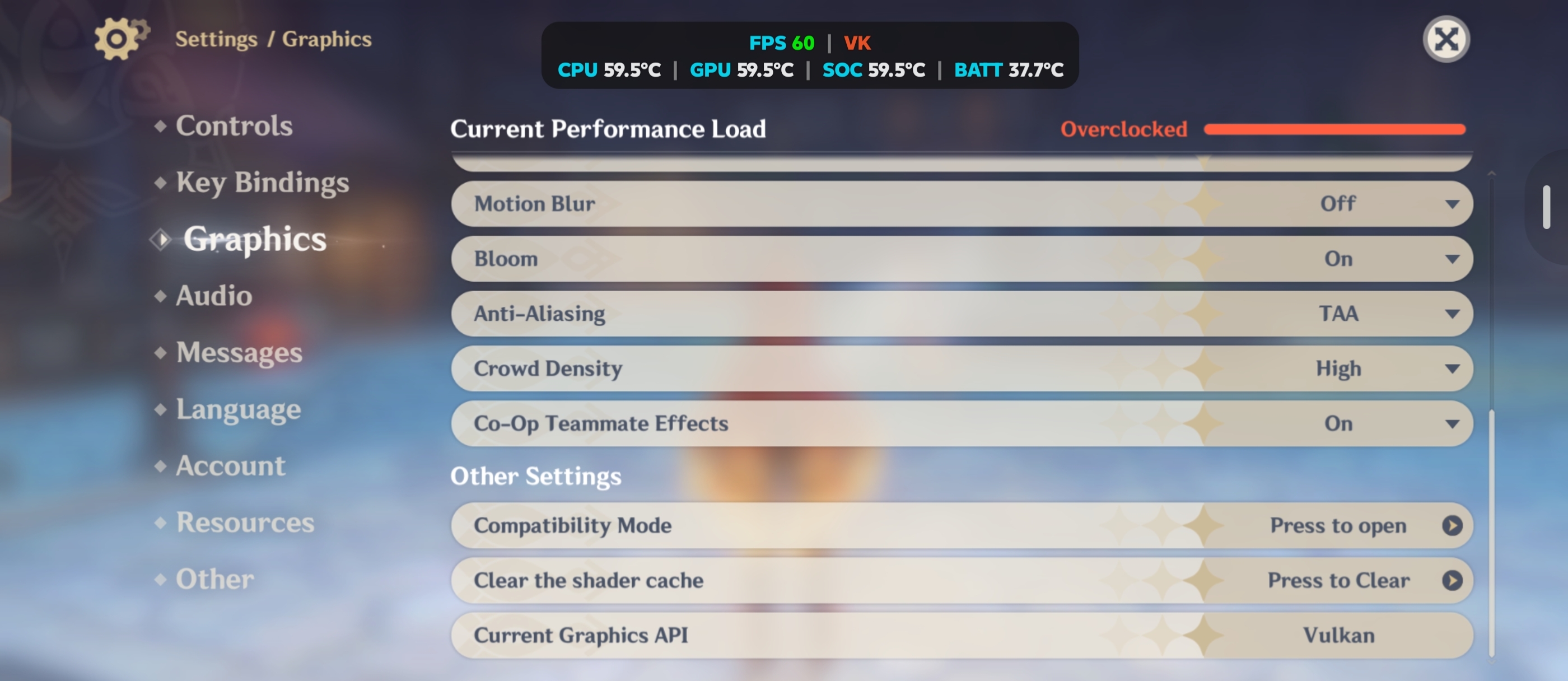
Live Vulkan Game Overlay
Vulkan In-Game Telemetry open_in_full
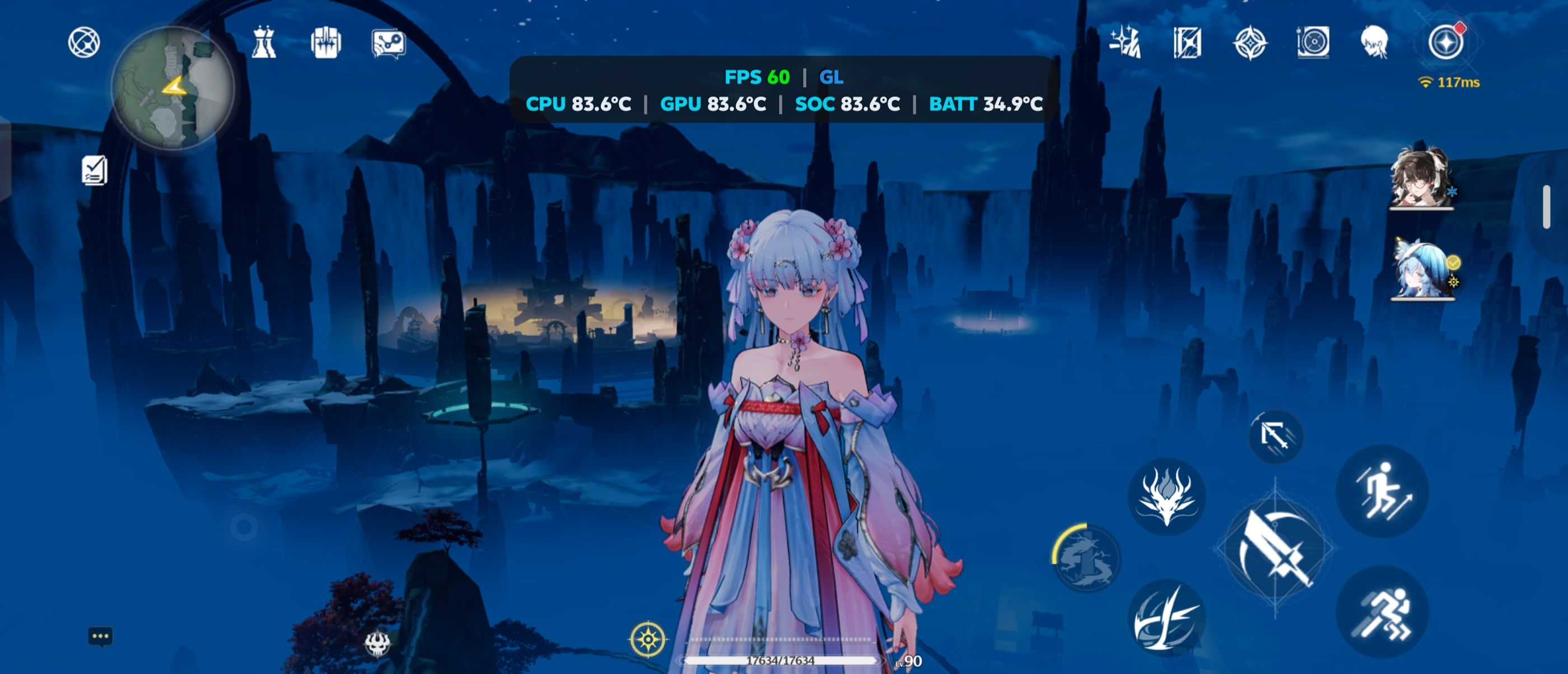
Live OpenGL ES Game Overlay
OpenGL ES In-Game Telemetry open_in_full
Changelog & Updates

Release History

Core Capabilities

Designed for Competitive Mobile Gamers

speed

True SurfaceFlinger FPS

Unlike standard apps that only measure UI vsync timing, SurfaceFlinger mode hooks into compositor presentation buffers to measure true gameplay frame rates.

memory

Graphics API Detection

Automatically identifies whether your active game is running on Vulkan or OpenGL ES, displaying a crisp [VK] or [GL] badge on the overlay.

battery_charging_full

Battery & Thermal Telemetry

Monitor real-time thermals across CPU, GPU, SoC, and Battery, plus live battery percentage. Merges into a compact unified readout (BAT 38°C (85%)) when both are active.

fiber_manual_record

In-Memory FPS Recording

Lightweight per-game session recording aggregates average FPS, peak FPS, min FPS, and session duration in memory without disk I/O lag or battery drain.

history

Session Performance History

Dedicated History tab stores benchmark runs for each game with average FPS badges, duration tags, timestamps, and full session log management.

sports_esports

Direct Game Launcher

Built-in Games screen allows launching your installed games directly with 1 tap, alongside quick search filtering and per-game recording toggles.

bubble_chart

Assistive Menu & Quick Settings

Expandable floating bubble provides an in-game HUD menu to start/stop game FPS recording and toggle overlay visibility without leaving the game.

tune

Samsung Perf Z Pill Styling

Clean semi-transparent dark pill with cyan telemetry labels, white digits, dynamic color thresholds, available RAM readout, and configurable single-line mode for tablets.

smart_toy

Auto Game Detection

Configurable Accessibility Service automatically starts monitoring the moment your selected games launch and turns off immediately when you exit.

Technical Details

App Specifications

Package Name com.rdevzph.fpsmeter
Current Version 2.8 (VersionCode: 19)
Downloads -- total downloads via GitHub Releases
Operating System Android 8.0 (API 26) through Android 16 (API 36)
Architectures Universal (arm64-v8a, armeabi-v7a, x86, x86_64)
Core Permissions SYSTEM_ALERT_WINDOW, FOREGROUND_SERVICE_SPECIAL_USE
Optional Integrations Shizuku (privileged shell access for SurfaceFlinger & SoC Thermal HAL)
Privacy Policy 100% Offline • Zero Data Collection (View Policy)
Source Repository github.com/rdevz-ph/FPS-Meter-Android
check_circle Link copied to clipboard!